WireframingTools.usThe Design Index
THE WIREFRAMING SOFTWARE INDEX · 2026
X: 0 · Y: 44

Best ❖Wireframe_Hero · Low-FiWireframing Tools in 2026 — Find & Compare Software

Canvas Mode:Structural Blueprint

Find the right wireframing tools for websites, mobile apps, and UX projects. Explore free and paid options, compare AI features, and choose software that fits your workflow.

Independent comparisons • Features and plans checked against official product documentation
Editorial Selection

Best Wireframing Tools at a Glance

Not every wireframing tool is designed for the same task. Some prioritize quick sketches, while others support collaborative interface design, AI-assisted layouts, or advanced interactive prototypes. Start with these options, then use our directory to compare alternatives.

* Listed as editorial candidates evaluated against verified technical capabilities; zero sponsored rankings.
Figma official logo

Figma

Collaborative UI/UX design and scalable design systems
Free plan

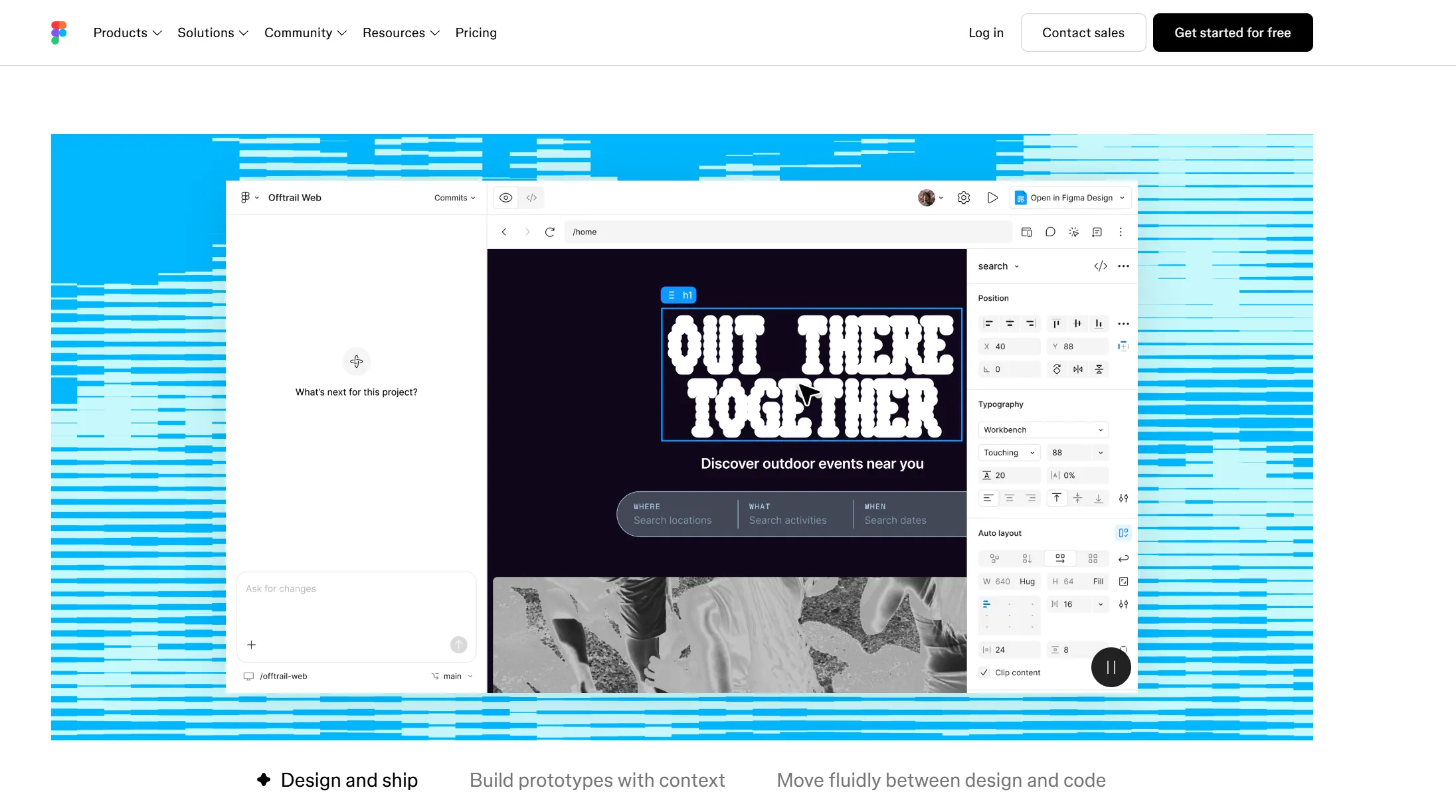
Industry-standard vector design and prototyping application built for browser-based multiplayer collaboration across wireframing and design systems.

Platforms:WebmacOSWindows
Whimsical official logo

Whimsical

Quick wireframing, user flows, and product ideation
Free plan

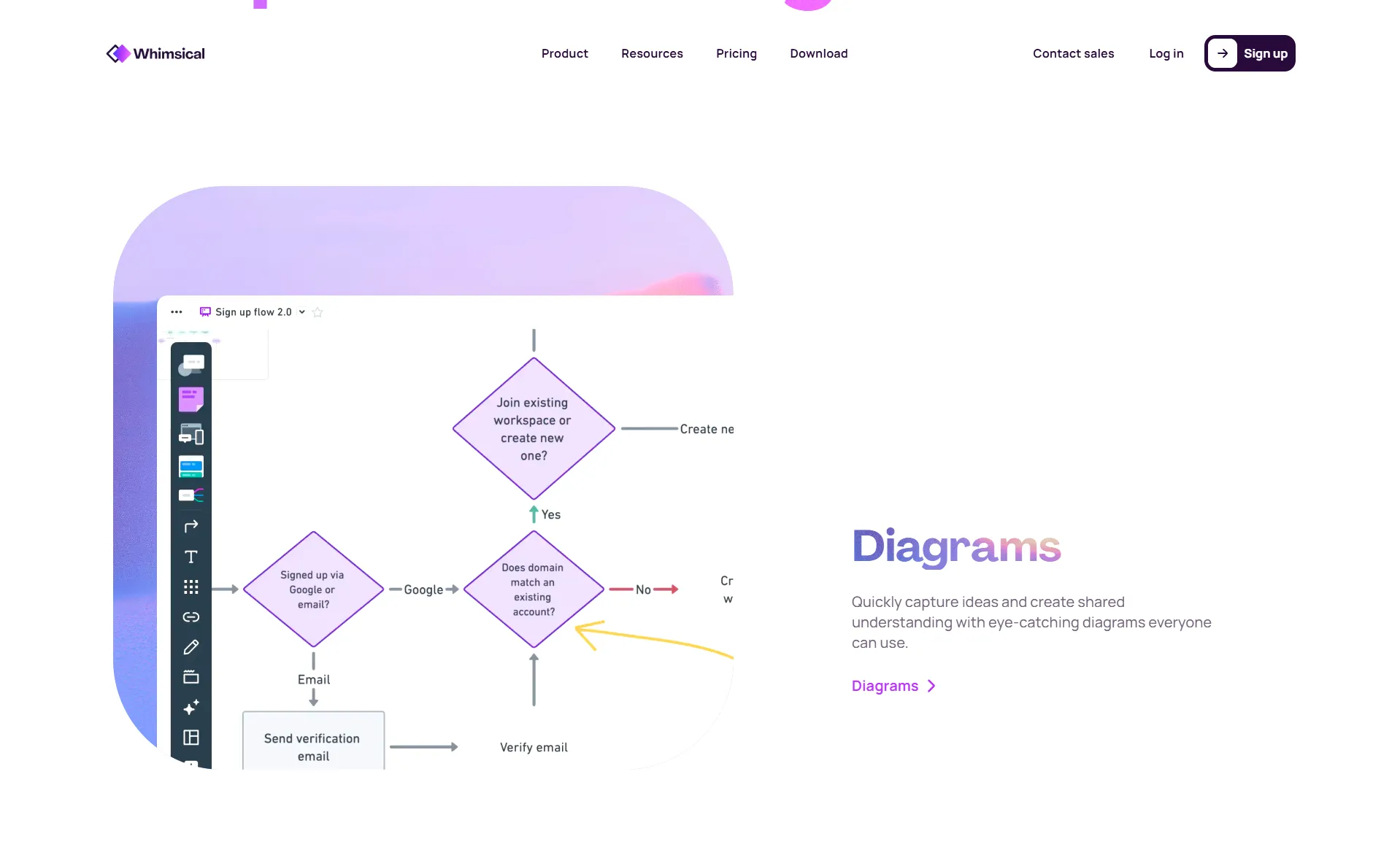
Speed-focused visual workspace combining low-fidelity wireframing, flowcharting, mind maps, and project docs in a unified canvas.

Platforms:Web
Balsamiq official logo

Balsamiq

Beginners, product managers, and low-fidelity sketches
Free trial

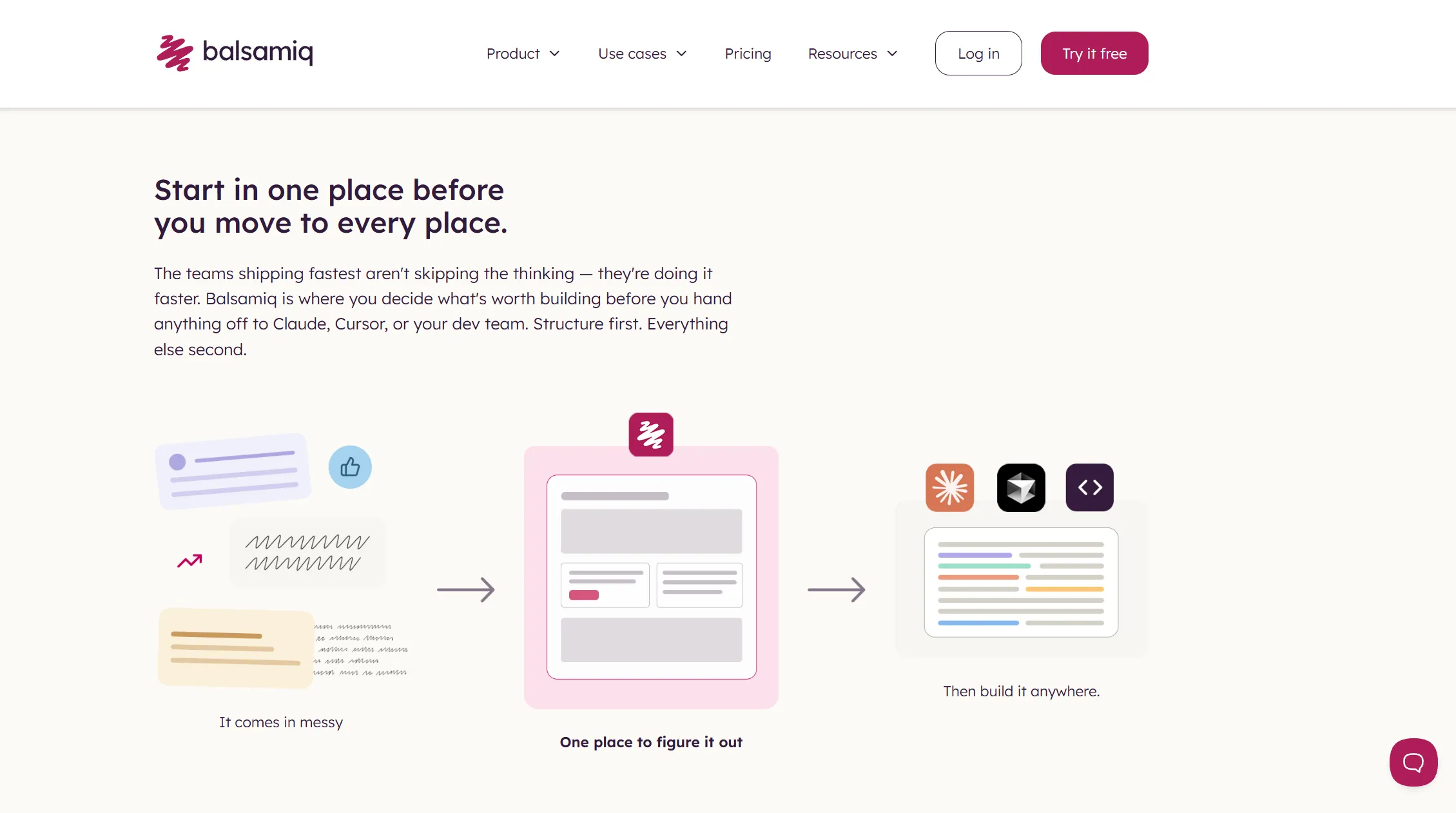
The pioneer of sketch-style low-fidelity wireframing, engineered to recreate the speed and intentional roughness of a whiteboard sketch.

Platforms:WebmacOSWindows
Trial available
From $9 / mo (2 projects)
Plan details →
Visily official logo

Visily

AI-assisted wireframing and sketch-to-design conversion
Free plan

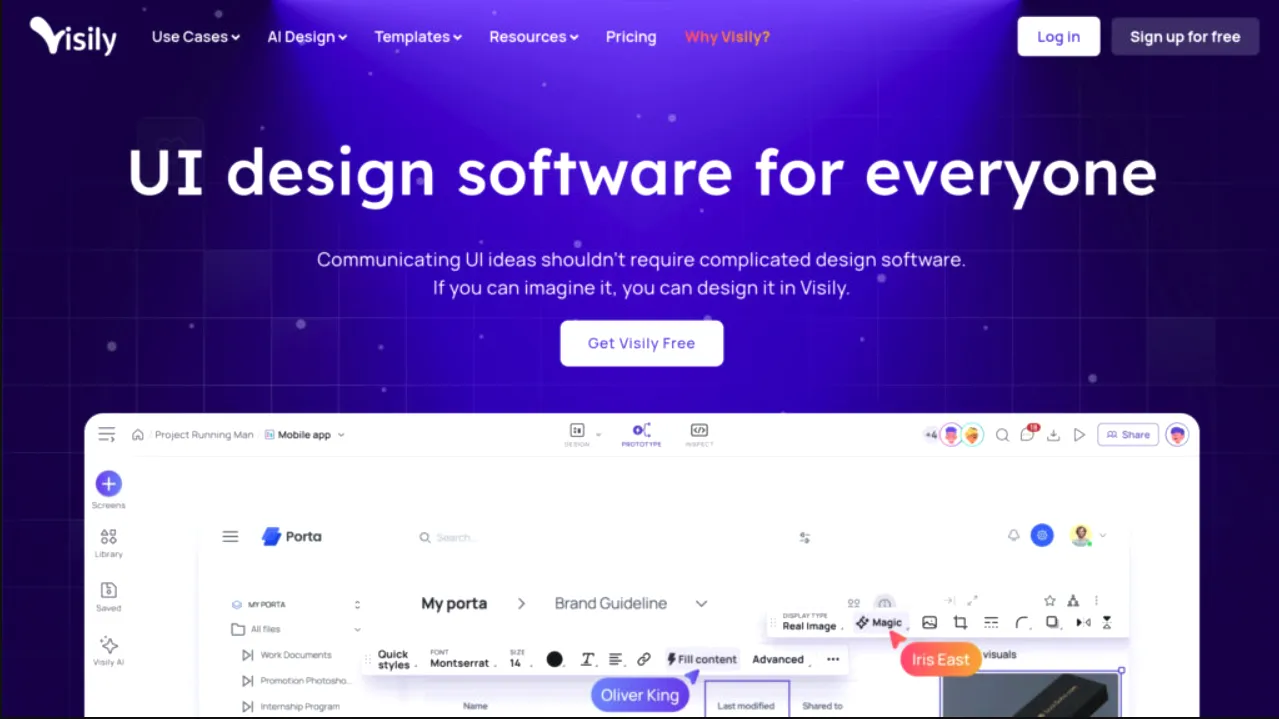
Modern AI-powered wireframing platform that turns text prompts, hand-drawn sketches, or app screenshots into fully editable UI layouts.

Platforms:Web
Axure RP official logo

Axure RP

Advanced interactive prototypes and complex UX logic
Free trial

The gold standard for advanced interactive wireframing, conditional logic, dynamic content, and complex enterprise prototypes.

Platforms:macOSWindows
Trial available
From $25 / user/mo
Plan details →
Penpot official logo

Penpot

Open-source design workflows and privacy-conscious teams
Open source

The leading open-source, web-based design and prototyping platform built on open web standards like SVG and native CSS Flex/Grid.

Platforms:WebLinuxmacOSWindows
Live Directory

Explore Wireframing Tools for Every Project

Browse wireframing software for UI/UX design, website planning, mobile apps, and interactive prototypes. Filter tools by budget, platform, AI capabilities, and collaboration features to narrow down your options.

50 of 50 tools
Jump to Section:
Axure RP logo

Axure RP

Advanced interactive prototypes and complex UX logic

The gold standard for advanced interactive wireframing, conditional logic, dynamic content, and complex enterprise prototypes.

Platforms:macOSWindows
Free trial
Trial available• From $25 / user/mo
Balsamiq logo

Balsamiq

Beginners, product managers, and low-fidelity sketches

The pioneer of sketch-style low-fidelity wireframing, engineered to recreate the speed and intentional roughness of a whiteboard sketch.

Platforms:WebmacOSWindows
Free trial
Trial available• From $9 / mo (2 projects)
Figma logo

Figma

Collaborative UI/UX design and scalable design systems

Industry-standard vector design and prototyping application built for browser-based multiplayer collaboration across wireframing and design systems.

Platforms:WebmacOSWindowsAI: text to wireframe
Free plan
Free• Paid from $12 / editor/mo
Penpot logo

Penpot

Open-source design workflows and privacy-conscious teams

The leading open-source, web-based design and prototyping platform built on open web standards like SVG and native CSS Flex/Grid.

Platforms:WebLinuxmacOSWindows
Open source
Free• Open source / no fees
Visily logo

Visily

AI-assisted wireframing and sketch-to-design conversion

Modern AI-powered wireframing platform that turns text prompts, hand-drawn sketches, or app screenshots into fully editable UI layouts.

Platforms:WebAI: text to wireframe
Free plan
Free• Paid from $14 / editor/mo
Whimsical logo

Whimsical

Quick wireframing, user flows, and product ideation

Speed-focused visual workspace combining low-fidelity wireframing, flowcharting, mind maps, and project docs in a unified canvas.

Platforms:WebAI: text to wireframe
Free plan
Free• Paid from $10 / editor/mo
Banani logo

Banani

Generating editable UI screens and app prototypes using AI

AI UI design and prototyping tool that converts natural language prompts and reference screenshots into editable wireframe layouts.

Platforms:WebAI: text to wireframe
Free plan
Free• Free forever plan
Cacoo logo

Cacoo

Collaborative UX diagrams and wireframe planning

Real-time collaborative diagramming and wireframing software featuring built-in templates, video chat, and multi-user cursor editing.

Platforms:Web
Free trial
Trial available• From $6 / user/mo
Canva logo

Canva

Beginner website wireframe templates

Accessible visual design suite offering drag-and-drop website wireframe templates, UI elements, and collaborative presentation sharing.

Platforms:WebmacOSWindowsiOSAndroidAI: text to wireframe
Free plan
Free• Paid from $15 / user/mo
Creately logo

Creately

Collaborative website and app wireframes

Visual workspace and diagramming platform combining wireframing, project management, and process mapping on an infinite canvas.

Platforms:WebmacOSWindowsLinux
Free plan
Free• Paid from $5 / user/mo
diagrams.net logo

diagrams.net

Free browser and desktop wireframe diagrams

Free, open-source diagramming and wireframing application with offline desktop apps, zero tracking, and native cloud storage syncing.

Platforms:WebWindowsmacOSLinux
Open source
Free• Open source / no fees
Draftium logo

Draftium

Block-based website prototypes

Turbo prototyping and wireframing tool for website ideation with 350+ pre-built structural blocks and real-time collaboration.

Platforms:Web
Free plan
Free• Paid from $8.25 / mo (annual)
Excalidraw logo

Excalidraw

Developers and engineers creating technical wireframes

Virtual collaborative whiteboard tool with a clean hand-drawn aesthetic, end-to-end encryption, and a huge open-source library of UI stencils.

Platforms:WebAI: text to wireframe
Open source
Free• Open source / no fees
FigJam logo

FigJam

Fast ideation within existing Figma design ecosystems

Figma’s native online whiteboard for teams to diagram, sketch low-fi wireframes, brainstorm, and run design sprints on a shared canvas.

Platforms:WebmacOSWindowsiOSAndroidAI: text to wireframe
Free plan
Free• Paid from $3 / editor/mo
Figr logo

Figr

Product teams designing features and UX flows based on existing product context

Product-context-aware AI UI design and UX planning tool that generates connected screens, flow diagrams, and design-system wireframes.

Platforms:WebAI: text to wireframe
Free plan
Free• Free forever plan
FlowMapp logo

FlowMapp

Website sitemaps and block wireframes

Visual UX planning platform featuring sitemaps, user flow diagrams, customer journey maps, and block wireframes.

Platforms:WebAI: ai copy
Free plan
Free• Paid from $9 / mo
Fluid UI logo

Fluid UI

Rapid interactive mobile and web prototypes

Rapid interactive mobile and web prototyping tool featuring pre-built UI kits and quick screen linking.

Platforms:WebmacOSWindowsLinux
Free plan
Free• Paid from $8.25 / mo (solo)
Frame0 logo

Frame0

Product managers needing clean layout blueprints

A fast, clean wireframing web tool built for product managers to produce structure without visual distraction.

Platforms:Web
Free plan
Free• Paid from $8 / mo
Framer logo

Framer

Interactive website layouts and prototypes

Interactive website design and publishing platform combining freeform layout design with production-grade web rendering.

Platforms:WebmacOSWindowsAI: text to wireframe
Free plan
Free• Paid from $5 / site/mo
Google Stitch logo

Google Stitch

AI-generated UI concepts and flows

Experimental Google Labs design tool exploring AI-assisted layout assembly and generative interface concepts.

Platforms:WebAI: text to wireframe
Free plan
Free• Open source / no fees
Justinmind logo

Justinmind

Offline desktop wireframing and responsive layout testing

Desktop prototyping suite providing high and low fidelity wireframing, gestures, variables, and responsive design layouts without code.

Platforms:macOSWindows
Free plan
Free• Paid from $9 / user/mo
Lucidchart logo

Lucidchart

Wireframe diagrams and UX flows

Intelligent diagramming application with extensive UI shape libraries for user flows, system architectures, and wireframe blueprints.

Platforms:WebAI: text to wireframe
Free plan
Free• Paid from $7.95 / user/mo
Lunacy logo

Lunacy

Cross-platform offline interface design

Free graphic design and wireframing software by Icons8 with built-in graphics, auto-layout, AI tools, and full Sketch file compatibility.

Platforms:WebWindowsmacOSLinuxAI: ai copy
Free plan
Free• Open source / no fees
Magic Patterns logo

Magic Patterns

AI prototypes based on design systems

AI-powered component and UI prototype generator that creates React and Figma prototypes based on your existing design system.

Platforms:WebAI: screenshot to wireframe
Free trial
Trial available• From $19 / mo
Marvel logo

Marvel

Interactive prototypes and user testing

Rapid prototyping and wireframing platform built to turn sketches and mockups into interactive click-through prototypes with user testing.

Platforms:Web
Free plan
Free• Paid from $12 / mo
Miro logo

Miro

Cross-functional team brainstorming and product roadmapping

Collaborative online whiteboard platform featuring wireframing templates, interactive widgets, mind maps, and cross-functional team brainstorming.

Platforms:WebmacOSWindowsiOSAndroidAI: text to wireframe
Free plan
Free• Paid from $8 / member/mo
MockFlow logo

MockFlow

Dedicated wireframing libraries and software blueprints

Dedicated wireframing suite offering specialized UI component packs, sitemaps, user journeys, and design approvals in a single dashboard.

Platforms:WebmacOSWindowsAI: text to wireframe
Free plan
Free• Paid from $14 / editor/mo
Mockitt logo

Mockitt

Building interactive website and mobile app prototypes

Cross-platform rapid wireframing and prototyping tool featuring drag-and-drop UI components, interactive gestures, and AI-assisted layout generation.

Platforms:WebWindowsmacOSLinuxAI: text to wireframe
Free plan
Free• Free forever plan
Mockplus logo

Mockplus

Fast drag-and-drop prototyping and product team handoff

Cloud-based UI wireframing and prototyping platform with rapid drag-and-drop components, interactive icons, and developer handoff.

Platforms:WebmacOSWindows
Free plan
Free• Paid from $4.95 / user/mo
Mokkup.ai logo

Mokkup.ai

AI dashboard wireframes

AI-powered dashboard wireframing platform built to draft BI reports, metrics dashboards, and analytical interfaces in minutes.

Platforms:WebAI: text to wireframe
Free plan
Free• Paid from $10 / mo
Moqups logo

Moqups

Integrated diagramming, sitemaps, and wireframe sketches

Streamlined web-based visual ecosystem that combines wireframing, mockups, flowcharts, and mind maps on an infinite board.

Platforms:Web
Free plan
Free• Paid from $13 / mo (solo)
Mural logo

Mural

Collaborative workshops and UX planning

Visual collaboration and digital whiteboarding platform built for enterprise design sprints, wireframing workshops, and UX mapping.

Platforms:WebmacOSWindowsiOSAndroidAI: ai copy
Free plan
Free• Paid from $9.99 / user/mo
NinjaMock logo

NinjaMock

Sketch-style collaborative wireframes

Simple web-based sketching tool for drafting mobile and web wireframes with real-time multi-user editing.

Platforms:Web
Free plan
Free• Paid from $5 / user/mo
Octopus.do logo

Octopus.do

Visual sitemaps and low-fidelity wireframes

Visual sitemap and website architecture builder with instant content blocks, low-fidelity wireframes, and project cost estimates.

Platforms:WebAI: ai copy
Free plan
Free• Paid from $8 / mo
Overflow logo

Overflow

Interactive UX flows and presentations

User flow diagramming and presentation software that connects wireframes into interactive customer journey presentations.

Platforms:WindowsmacOS
Free trial
Trial available• From $14.95 / user/mo
Pencil Project logo

Pencil Project

Open-source desktop wireframing on Linux, Windows, and macOS

Open-source desktop GUI prototyping tool with built-in stencil collections for popular mobile, desktop, and web frameworks.

Platforms:LinuxWindowsmacOS
Open source
Free• Open source / no fees
Pixso logo

Pixso

Collaborative UI and design systems

Collaborative cloud-based UI/UX vector design suite with integrated wireframing stencils, design systems, and developer specs.

Platforms:WebWindowsmacOSAI: ai copy
Free plan
Free• Paid from $8 / editor/mo
Proto.io logo

Proto.io

Interactive mobile and website prototypes

High-fidelity mobile and web prototyping software with realistic animations, gestures, and vast component libraries without coding.

Platforms:Web
Free trial
Trial available• From $24 / user/mo
ProtoPie logo

ProtoPie

Advanced interaction and gesture prototypes

The most advanced interaction prototyping tool for high-fidelity digital products, automotive dashboards, and hardware inputs.

Platforms:macOSWindows
Free trial
Trial available• From $67 / editor/mo
Quant-UX logo

Quant-UX

Wireframing paired with automated usability testing and heatmaps

Open-source visual design and UX research tool that combines wireframing with automated usability testing and heatmaps.

Platforms:Web
Open source
Free• Open source / no fees
Relume logo

Relume

AI website sitemaps and wireframes

AI-assisted site builder and wireframe component system that converts marketing prompts into responsive wireframes for Figma and Webflow.

Platforms:WebAI: text to wireframe
Free plan
Free• Paid from $32 / mo
Sketch logo

Sketch

Mac-native design workflows and offline vector crafting

The classic native macOS interface design application, featuring offline speed, native Apple silicon performance, and a mature symbol system.

Platforms:macOSWeb
Free trial
Trial available• From $10 / editor/mo
Uizard logo

Uizard

Rapid AI wireframing and non-designer prototyping

Rapid prototyping and wireframing tool using generative AI to convert text prompts, wireframe screenshots, and hand-drawn doodles into interactive mockups.

Platforms:WebAI: text to wireframe
Free plan
Free• Paid from $12 / creator/mo
UX Pilot logo

UX Pilot

AI wireframes and multi-screen product flows

AI UX copilot for user research, requirements gathering, and instant multi-screen wireframe generation directly in the browser.

Platforms:WebAI: text to wireframe
Free plan
Free• Paid from $12 / mo
UXPin logo

UXPin

Code-based prototyping and interactive component states

Advanced design and prototyping platform featuring code-backed components, state logic, interactive variables, and component-driven workflows.

Platforms:WebmacOSWindowsAI: ai copy
Free trial
Trial available• From $29 / editor/mo
Venngage logo

Venngage

Template-based wireframe layouts

Infographic and design platform featuring modular wireframe templates, UI mockups, and real-time team collaboration.

Platforms:Web
Free plan
Free• Paid from $10 / user/mo
Visme logo

Visme

Beginners creating wireframes using customizable templates

Versatile visual design and diagramming platform offering drag-and-drop wireframing templates for website mockups and product presentations.

Platforms:WebAI: ai components
Free plan
Free• Free forever plan
Wireflow logo

Wireflow

Free user flows with wireframe templates

Open-source web tool for creating user flows and mobile application wireframes collaboratively with zero installation.

Platforms:Web
Open source
Free• Open source / no fees
Wireframe.cc logo

Wireframe.cc

Minimalist, distraction-free browser wireframe sketches

Minimalist browser-based wireframing tool stripped of all visual distractions to help you draft digital layouts at maximum speed.

Platforms:Web
Free plan
Free• Paid from $16 / user/mo
WireframeSketcher logo

WireframeSketcher

Offline low-fidelity sketches and mockups

Offline desktop wireframing tool and IDE plugin for developers to quickly create wireframes, mockups, and prototypes.

Platforms:WindowsmacOSLinux
Free trial
Trial available• From $99 / license
Showing 1–10 of 50 tools
Show:
↓
Looking for head-to-head comparison or buyer guidance?Compare specifications across tools or review our independent buying guide below.
Side-by-Side Analysis

Compare the Best Wireframing Software

Compare popular wireframe tools by their strengths, pricing models, platforms, and workflows. Whether you need a quick website sketch or a detailed interactive prototype, identify a suitable starting point.

Pin tools:
SpecificationCollaborative UI/UX design and scalable design systemsQuick wireframing, user flows, and product ideationBeginners, product managers, and low-fidelity sketches
Best ForCollaborative UI/UX design and scalable design systemsQuick wireframing, user flows, and product ideationBeginners, product managers, and low-fidelity sketches
Free AccessPermanent Free PlanPermanent Free PlanFree Trial Only
PlatformsWeb, macOS, WindowsWebWeb, macOS, Windows
Prototype FidelityHigh-Fidelity Transitions & VariantsLow-Fidelity Frame LinkingLow-Fidelity Clickthrough
Open SourceProprietary CommercialProprietary CommercialProprietary Commercial
Full AnalysisRead Profile →Read Profile →Read Profile →
Technical Analysis

In-Depth Reviews: Which Wireframing Tool Is Right for You?

Our editorial evaluations analyze tool capabilities directly against product architecture, collaboration pipelines, component scalability, and prototype requirements. Explore these in-depth profiles before standardizing your team's design stack.

Figma verified logo

Figma: Collaborative UI/UX Powerhouse

Collaborative UI/UX design and scalable design systems

Figma is built for end-to-end interface creation where multiple team members edit layouts simultaneously. For wireframing, its massive library of community UI kits and Auto Layout make arranging responsive grids fast.

Key Advantages

  • ✓Browser-native multiplayer allows instant design critique sessions
  • ✓Auto Layout accelerates rapid content and responsive card reflowing
  • ✓Direct path from lo-fi wireframe to production design specs

Limitations

  • —More complex interface than single-purpose sketching software
  • —Requires deliberate restraint to avoid premature visual polishing
Figma Workspace PreviewVerified Editor Capture
Figma wireframing workspace preview
* Production interface capture100% Authentic
Whimsical verified logo

Whimsical: Pure Speed for Conceptual Layouts

Quick wireframing, user flows, and product ideation

Whimsical solves the over-design problem by strictly limiting styling knobs. You cannot fiddle with pixel-perfect gradients; you get pre-baked buttons, inputs, modals, and tables that look clean and communicate structural intent in seconds.

Key Advantages

  • ✓Zero setup overhead—teams start assembling screens in seconds
  • ✓Flow lines stick dynamically to wireframe elements as you move them
  • ✓Pre-configured smart search brings in icons and UI components instantly

Limitations

  • —No support for responsive breakpoints or dynamic variables
  • —Strict styling prevents intermediate and high-fidelity mockups
Whimsical Workspace PreviewVerified Editor Capture
Whimsical wireframing workspace preview
* Production interface capture100% Authentic
Balsamiq verified logo

Balsamiq: Whiteboard Ideation Captured Digitally

Beginners, product managers, and low-fidelity sketches

Balsamiq remains unmatched for non-designers—product managers, business analysts, and backend engineers—who need to communicate software structure without getting bogged down in visual software complexity.

Key Advantages

  • ✓Universal recognition as draft wireframes avoids premature client signoff confusion
  • ✓Quick Add keyboard shortcut lets power users place components without mouse hunting
  • ✓Includes clean wireframe skin if sketch style is too informal for your team

Limitations

  • —Lacks modern vector editing tools or custom SVG node manipulation
  • —Requires switching to another tool entirely for visual mockup production
Balsamiq Workspace PreviewVerified Editor Capture
Balsamiq wireframing workspace preview
* Production interface capture100% Authentic
Visily verified logo

Visily: High-Velocity AI Layout Generation

AI-assisted wireframing and sketch-to-design conversion

Visily dramatically compresses the time from hand-drawn concept to digital layout. Its computer vision engine interprets sketches with high accuracy, auto-selecting appropriate inputs, dropdowns, and navigation headers.

Key Advantages

  • ✓Instant style switcher transforms lo-fi wireframe into styled UI kit instantly
  • ✓AI prompt-to-screen generator provides immediate visual drafts for discovery calls
  • ✓Extensive built-in template library covering enterprise SaaS and mobile dashboards

Limitations

  • —Requires stable internet connection for AI processing endpoints
  • —Complex multi-step interactive workflows require manual connection
Visily Workspace PreviewVerified Editor Capture
Visily wireframing workspace preview
* Production interface capture100% Authentic
Axure RP verified logo

Axure RP: True Functional Logic for Complex Applications

Advanced interactive prototypes and complex UX logic

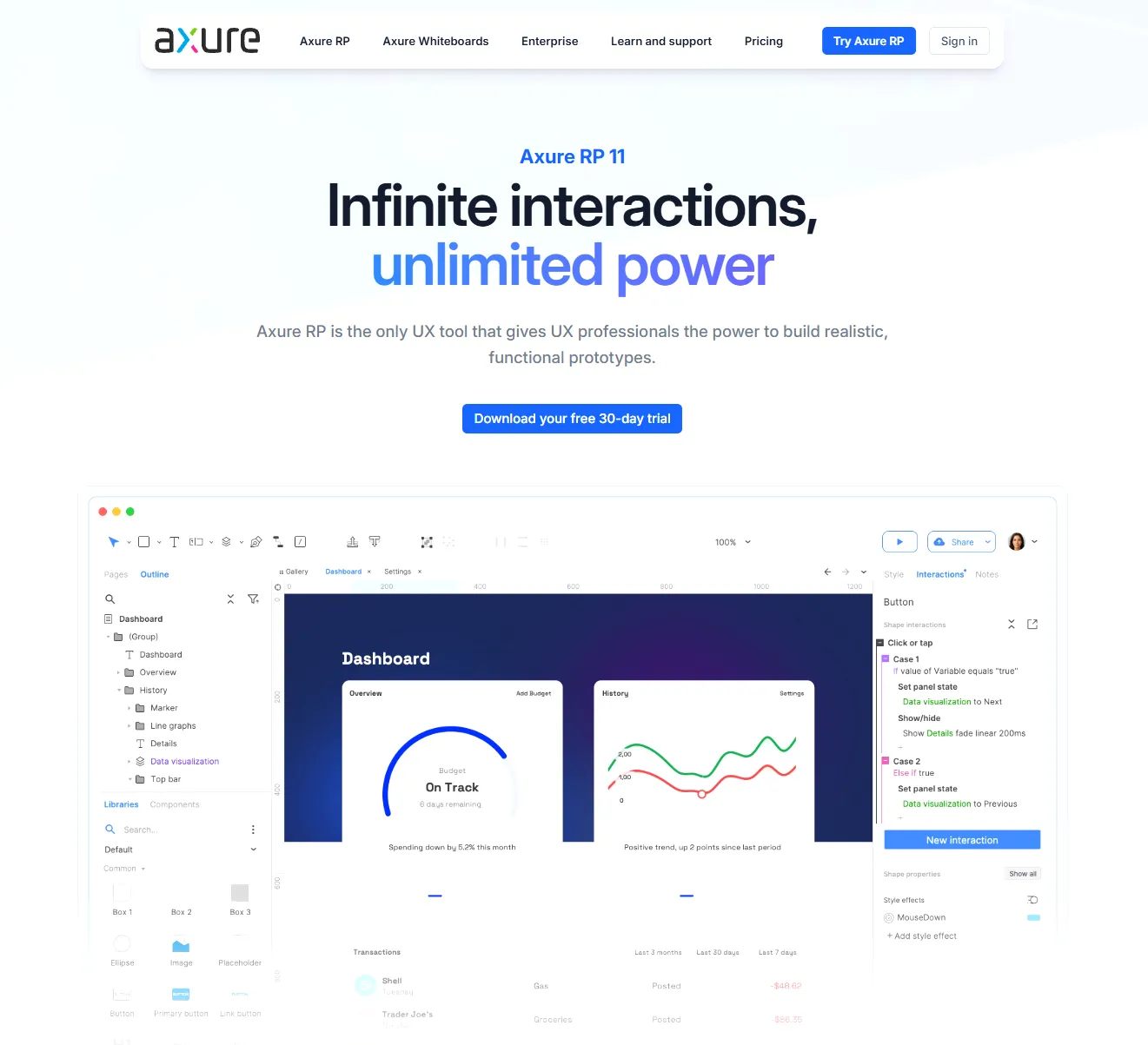
Axure RP is designed for enterprise systems, banking portals, and multi-step checkout funnels where simple animated transitions are insufficient. If you need a wireframe with realistic data sorting, field validation, and state persistence, Axure is the authoritative solution.

Key Advantages

  • ✓Repeaters allow sorting and filtering realistic dataset records dynamically
  • ✓Adaptive views let authors design once and target multiple device resolutions
  • ✓Specification generation exports detailed widget annotations to Word or PDF

Limitations

  • —Desktop-centric client workflow lacks seamless browser multiplayer
  • —Higher licensing cost compared to generalist whiteboard tools
Axure RP Workspace PreviewVerified Editor Capture
Axure RP wireframing workspace preview
* Production interface capture100% Authentic
Penpot verified logo

Penpot: Code-Accurate Open Source Prototyping

Open-source design workflows and privacy-conscious teams

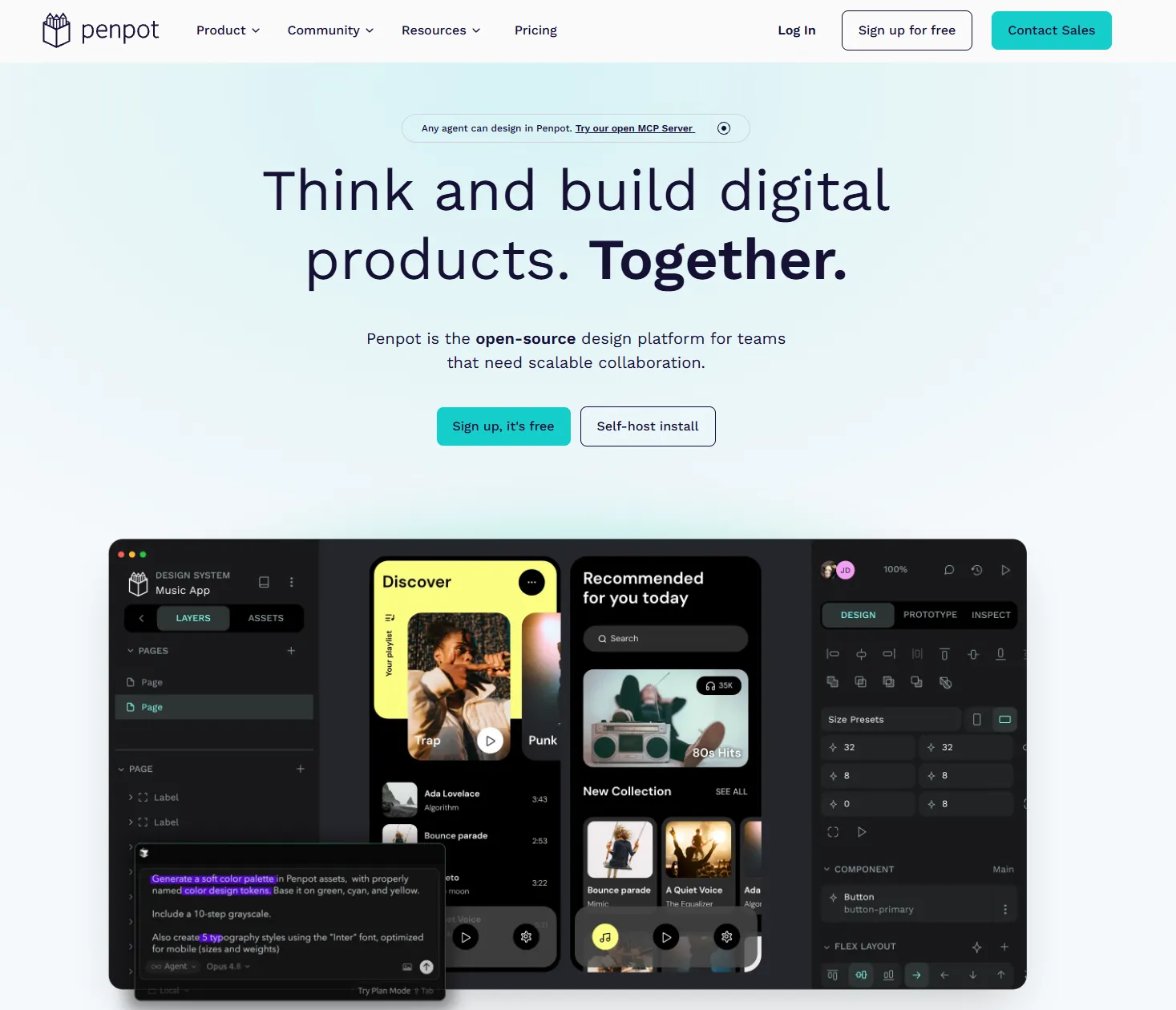
Penpot bridges the visual design and frontend development boundary by using genuine CSS standards in its layout panel. Components behave exactly as they will in a production browser DOM.

Key Advantages

  • ✓Zero vendor lock-in with standard SVG format for all graphics and layouts
  • ✓Active open-source community providing regular architectural improvements
  • ✓Multi-user real-time collaboration with zero seat charges for self-hosters

Limitations

  • —Ecosystem of third-party pre-built wireframe kits is still maturing
  • —Complex micro-interaction authoring is basic compared to dedicated motion tools
Penpot Workspace PreviewVerified Editor Capture
Penpot wireframing workspace preview
* Production interface capture100% Authentic
Targeted Workflows

Find Wireframing Tools by Use Case

Different design initiatives demand distinct capabilities. Whether you are assembling a zero-budget prototype, exploring generative AI workflows, or architecting a multi-screen mobile application, browse by category to find the right fit.

Editorial Framework & Standards

How We Evaluate Wireframing Tools

Our evaluations follow an objective, eight-point benchmark designed to test real-world software utility. Because we prioritize technical accuracy over marketing claims, we clearly distinguish between verified published specifications and laboratory benchmarks.

01

Onboarding & Ease of Use

Time required for a new user to understand the canvas, keyboard shortcuts, and core layout primitives.

02

Speed of Wireframe Creation

Efficiency of translating a mental concept or meeting notes into a coherent visual structure on screen.

03

Component & Stencil Libraries

Breadth and quality of out-of-the-box UI elements, buttons, navbars, form inputs, and icon packs.

04

AI Generation & Editing

Precision of prompt-to-layout engines, sketch-to-vector computer vision, and editable component outputs.

05

Multiplayer Collaboration

Smoothness of live cursor editing, threaded stakeholder comments, role-based permissions, and version histories.

06

Prototype Interactions

Ability to link frames, simulate scroll states, trigger modal overlays, and model conditional user logic.

07

Export & Developer Handoff

Fidelity of PNG, PDF, SVG, CSS, Figma, and HTML exports needed by frontend developers and stakeholders.

08

Pricing & License Transparency

Clarity of free tier quotas, editor vs viewer billing, self-hosting terms, and enterprise price gating.

Standardized Benchmark Protocol

Our Evaluation Framework & Laboratory Benchmarks

To maintain strict equivalence across all shortlisted software, our editorial lab executes a standardized benchmark: constructing a responsive three-screen flow consisting of a mobile login screen, an analytics dashboard, and an editable user profile view. We evaluate the time invested, friction encountered, stencil accuracy, and export clarity.

Editorial Independence Policy:

No software vendor can purchase inclusion, preferential placement, or favorable ratings in our directory. Commercial sponsorships, affiliate partnerships, and advertising agreements do not determine our editorial ranking.

Procurement Architecture

How to Choose the Right Wireframing Tool

Selecting wireframing software is not simply about picking the application with the most features. It requires aligning tool fidelity, collaboration models, and export pipelines with your team's actual design maturity.

Procurement Console
Step 01 of 06

Start with Fidelity: Low vs High Fidelity

Architectural Rule of Thumb

"If clients or stakeholders get bogged down debating button colors and typography during initial reviews, mandate low-fidelity wireframing first."

Low-fidelity tools intentionally strip away color, fonts, and micro-styling, compelling review teams to focus on core user journeys, content hierarchy, and mental models. Transitioning into high-fidelity vector tools is ideal once structural sign-off is locked.

Evaluation Checklist:
✓Focuses reviews on structural layout rather than aesthetics
✓Pre-built stencil library for buttons, inputs, and modals
✓Extremely fast wireframe assembly time
Fundamental Concepts

What Is Wireframing?

A wireframe is a simplified visual blueprint of a website or application. It shows the placement of content, navigation, buttons, and other interface elements before the final visual design is completed. Wireframes help designers, developers, and stakeholders agree on structure and user flow early in a project.

Think of a wireframe as the architectural floor plan of a building. Just as an architect would never specify paint colors or curtain fabrics before confirming where structural walls, staircases, and plumbing lines go, UX teams rely on wireframes to test information architecture and task completion paths before polishing typography and color palettes.

Evolutionary ComparisonLow-Fi Blueprint vs Polished UI
Low-Fi Wireframe
Image Box
Button Placeholder
Production UI
Analytics Suite
Real-time engagement telemetry.
MRR Velocity+28.4%
$84,290
Low-fidelity wireframes clarify hierarchy and function so high-fidelity design can succeed without costly revisions.
Common Questions

Frequently Asked Questions

Direct answers to key workflow, technical, and licensing questions.

What are the best wireframing tools for beginners?▼
For beginners and non-designers, tools like Whimsical and Balsamiq offer the gentlest learning curve. They provide pre-built, drag-and-drop UI components and purposely restrict advanced graphic editing options. This prevents users from getting overwhelmed by complex vector networks, auto-layouts, or design system tokens, letting them focus entirely on screen hierarchy and flow.
Are there any free wireframing tools?▼
Yes. Several tools offer legitimate free access. Penpot and Excalidraw are fully free and open-source without artificial feature paywalls. Additionally, tools like Figma, Whimsical, and Moqups provide permanent free tiers that allow individuals and small teams to create basic projects without entering credit card details, though they impose project or file limits.
Can I make wireframes in Figma?▼
Yes, Figma is one of the most popular wireframing platforms globally. Designers use it by creating simple grayscale vector frames or by installing community wireframing kits and component libraries. Its main advantage is seamless progression: once stakeholders approve the wireframe structure, designers can evolve the exact same file directly into production mockups.
What is the difference between a wireframe and a prototype?▼
A wireframe is typically a static, low-fidelity architectural layout illustrating content placement, navigation, and page hierarchy. A prototype adds interactivity, simulating real application behavior through clickable hotspots, page transitions, form inputs, dynamic state changes, or animations so teams can conduct usability testing before writing software code.
Which wireframing tools have AI features?▼
Modern tools like Visily and Uizard feature dedicated AI engines capable of converting natural language prompts, hand-drawn whiteboard sketches, or mobile screenshots into editable vector UI screens. Figma also includes AI utilities for automated text generation, component search, and rapid layout scaffolding to accelerate initial ideation.
What should I look for in wireframing software?▼
Key factors include speed of assembling layouts, the breadth of pre-built UI stencils, real-time collaboration support for remote team review, export flexibility (such as SVG, PDF, or code tokens), and pricing transparency. Choose a tool that matches your required fidelity level rather than defaulting to the most complex graphic suite.
Can wireframing tools be used for mobile apps?▼
Yes. Most modern wireframing software includes dedicated mobile artboards with standard iOS and Android aspect ratios, safe areas for notches, and pre-packaged UI kits with navigation bars, tab bars, keyboards, and buttons. Some specialized tools also simulate mobile touch gestures like swiping and pull-to-refresh.